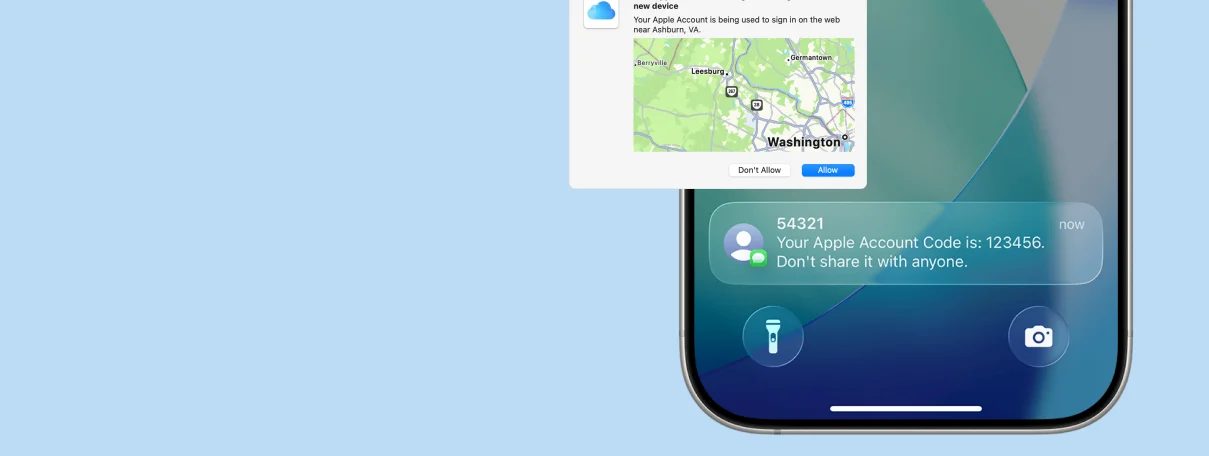
iPhone lock screen showing an Apple Account verification code delivered by text

Virtual Phone
Number for
Apple ID

A virtual phone number for your Apple ID is a real phone number that lives in an app rather than on a SIM card. You can add it as a trusted number to receive verification codes and keep your account safe.

TL;DR

  • What it is

    A virtual phone number for Apple ID is a real phone number that lives in an app instead of on a SIM card, and you can add it to your Apple Account as a trusted phone number for verification codes.

  • How verification works

    Apple's two-factor authentication sends a six-digit verification code to your trusted devices or by SMS or phone call to your trusted phone number, so the number you choose has to receive both reliably.

  • Why it matters

    If your only trusted number is your carrier SIM, a SIM swap, a lost iPhone, or a carrier change can lock you out of iCloud, the App Store, and everything else tied to your Apple ID.

  • Why SLYNUMBER

    SLYNUMBER gives you a real U.S. mobile number that works as a backup trusted phone number, stays separate from your SIM, and goes wherever you go.

Table of contents 8 sections

Your Apple ID, now called Apple Account, unlocks your iCloud photos, App Store purchases, iMessage, FaceTime, Apple Pay, Find My, and the rest of your Apple services. Two-factor authentication protects all of it with a code sent to a trusted device or a trusted phone number. For most people, that trusted number is the same carrier SIM in the same iPhone, which means one lost phone, carrier switch, or SIM-swap attack can cut off every route back into the account.

A virtual phone number gives you a second, independent line to receive Apple ID verification codes. It runs in an app instead of on a SIM card, so it isn't tied to your carrier or your handset. SLYNUMBER issues real U.S. mobile numbers that receive SMS and voice codes like a carrier line, making them a dependable backup for your Apple Account.

01

What is a virtual phone number for Apple ID?

A virtual phone number is a real, dialable phone number that receives calls and SMS over the internet instead of through a physical SIM card. It has a standard country and area code and works inside a mobile app on the phone you already own. For Apple ID, its job is simple: receive the verification code Apple sends when you sign in on a new device or browser.

Apple calls this a trusted phone number. According to Apple's guide to trusted phone numbers and trusted devices, a trusted number or trusted device is how two-factor authentication confirms it's really you. You can add more than one, and Apple recommends adding a number other than your own phone. Not every virtual number is equal, though: some VoIP numbers don't reliably receive codes, while SLYNUMBER numbers are registered as mobile lines and receive them like a carrier SIM. That's also why a temporary phone number from a site that lets you receive SMS online is a bad idea: those public inboxes can be read by anyone, and the number may be gone next week.

02

How Apple ID verification works on a virtual number

  1. Sign in on a new device.

    When you sign in to your Apple ID on a new iPhone, Mac, or browser, Apple asks for your password and a six-digit verification code.

  2. Apple sends the code to a trusted device first.

    If you have another signed-in iPhone, iPad, or Mac nearby, the code appears there automatically.

  3. Choose your trusted phone number.

    If you don't have a trusted device handy, tap that you didn't get a code and pick the trusted phone number you want to use.

  4. Get the code by SMS or phone call.

    Apple texts the one-time code, or OTP, to your number, or calls and reads it aloud. On a SLYNUMBER, the SMS lands in your app inbox.

  5. Enter the code and finish signing in.

    Type in the six digits and your new device is trusted from then on.

03

Risks of tying your Apple ID to a single carrier number

Risk 01

SIM swapping: an attacker takes your verification codes

In a SIM swap, a scammer convinces your carrier to move your number to a SIM card they control. If that number is your only trusted phone number, they can receive your Apple ID verification codes and, combined with a stolen password, get into your iCloud data.

Why a SLYNUMBER helps: A trusted number that isn't tied to your carrier SIM can't be moved by a carrier SIM swap, which closes one of the most common takeover routes and strengthens your account security.

Risk 02

Losing your phone and your number at the same time

When your iPhone is lost or stolen, you lose your trusted device and your SIM together. If there's no second trusted number, you may have to go through Apple's account recovery process, which can take days.

Why a SLYNUMBER helps: Your SLYNUMBER can be opened on another phone, so you can still receive a code and sign in while you replace your iPhone.

Risk 03

Changing carriers, countries, or numbers

Moving abroad, switching to a local SIM, or letting an old number lapse can leave your Apple ID pointing at a number you no longer control. Recycled numbers can even end up with a stranger who receives your codes.

Why a SLYNUMBER helps: The number stays with you across carriers and countries, so your Apple Account always has a trusted number you can reach.

04

Everyday benefits for security, travel, and second accounts

A backup trusted phone number

Adding a second trusted number is the easiest way to avoid being locked out. A virtual number gives you that backup without paying for a second carrier line or eSIM.

A separate number for a second Apple Account

Developers, businesses, and families often run more than one Apple ID. A second phone number keeps each account's verification separate, so your personal phone number isn't tied to a work or shared account.

Stay verifiable while traveling

Roaming SIMs and local numbers come and go when you travel. Your SLYNUMBER works over Wi-Fi or data in any country, so Apple ID verification codes reach you wherever you are.

05

How to add a SLYNUMBER as a trusted phone number in 5 steps

  1. Download the SLYNUMBER app.

    Install it from the App Store or Google Play, or register at slynumber.com/app/register, and choose your U.S. mobile number.

  2. Open your Apple Account settings.

    On your iPhone, go to Settings > [your name] > Sign-In & Security > Two-Factor Authentication.

  3. Add a trusted phone number.

    Tap Add a Trusted Phone Number and enter your device passcode when asked.

  4. Enter your SLYNUMBER.

    Type in the number with its +1 country code and choose to verify by text message or phone call.

  5. Confirm the code.

    Open your SLYNUMBER inbox, copy the verification code, and enter it to finish. Your SLYNUMBER is now a trusted phone number.

06

Virtual number vs. other trusted phone number options

Trusted phone number options compared
RecommendedSLYNUMBER Main carrier number Second carrier line or eSIM Free VoIP app
Receives Apple codes reliably YesMobile-tagged number Yes Yes Not alwaysCan miss codes
Separate from your iPhone's SIM YesLives in an app NoExposed to SIM swaps and lost phones Yes Yes
Cost From $4.99/month Included in your plan A second monthly bill Free
Keep it long term YesAcross carriers and countries Until you switchCarriers or countries While you payFor the second line NoNumbers can be recycled

Your main carrier number is convenient, but it's exposed to SIM swaps and lost phones. A second carrier line or eSIM is reliable but adds a monthly bill. Free VoIP apps are cheap but can recycle numbers or miss codes. A SLYNUMBER gives you a separate, mobile-tagged backup that you keep for the long term.

07

Features and pricing

Core features

  • A real US phone number that behaves like a real SIM, not a VoIP-flagged line
  • Handles SMS verification and phone verification for your Apple ID by text or call
  • Separate inbox for SMS verification codes from Apple and other apps
  • Works alongside your existing SIM card or eSIM

Security

Your SLYNUMBER isn't tied to a physical SIM, so a carrier SIM swap can't move it. Pair it with a strong Apple Account password and your trusted devices for layered protection.

Platform availability

SLYNUMBER is available on iOS and Android, and your number works anywhere you have Wi-Fi or mobile data.

Pricing

Pricing and plans

We're always transparent about our pricing. No hidden fees - ever! Purchase your second phone number online now!

Private number
3-month plan
Annual plan

$49.99/ year

When you purchase this plan, here’s what you’ll get:

A US mobile number for calls, texts, and trusted OTP/2FA verifications
$1 in outbound calling credits per month
Option to add data at any time
Start today
Start today
Global data

$10 / year

Upon purchasing this plan, the following items are included:

Pay-as-you-go global data
$5 of usage credits
50MB of data per month
Start today
Start today
Outbound Credits

$10

/ one-time purchase

Credit bundles are available in values of $10, $25 and $50.

Credits can be used for outbound calls and texts. Check rates here. (Number required)
Credits are also used for cellular data packages. Check rates here. (eSIM required)
Available after checkout
Get started
FAQ

Frequently asked questions

Can I use a virtual phone number for Apple ID?

Yes. You can add a virtual number as a trusted phone number as long as it can receive SMS or phone calls. A mobile-tagged number like SLYNUMBER works best.

Is Apple ID the same as Apple Account?

Yes. Apple renamed Apple ID to Apple Account with iOS 18 and macOS Sequoia, and your existing login didn't change.

Can I have more than one trusted phone number?

Yes. Apple lets you add several trusted phone numbers, and adding a backup is one of the best ways to avoid getting locked out.

Can Apple send the code by phone call instead of SMS?

Yes. When you choose a trusted phone number, you can pick a text message or a phone call. Both work with SLYNUMBER.

Does my trusted number have to be the number on my iPhone?

No. A trusted phone number only receives verification codes. It doesn't have to be the number you use for calls, iMessage, or FaceTime.

What happens if I lose access to my trusted number?

If you have another trusted number or device, you can sign in with that. If not, you'll need to go through Apple's account recovery, which is why a backup number matters.

Key Takeaways

  • A virtual number can be a trusted phone number for your Apple ID.
  • Apple sends codes by SMS or phone call.
  • A backup number protects you from SIM swaps and lost phones.
  • Download SLYNUMBER to add yours.
Get your number