Quick Facts:
• Pay for use only: Data is metered at the Australia per-GB rate — no bundles, no lock-in, nothing on your home carrier bill.
• Three networks in one: The eSIM auto-selects between Telstra, Optus, and Vodafone AU wherever you are in Australia.
• Ready before takeoff: Install by QR code at home; flip it on when the wheels touch down in Sydney or Melbourne.
• Honest outback advice: Cities and towns are well covered; remote stretches are not — download offline maps before long drives.
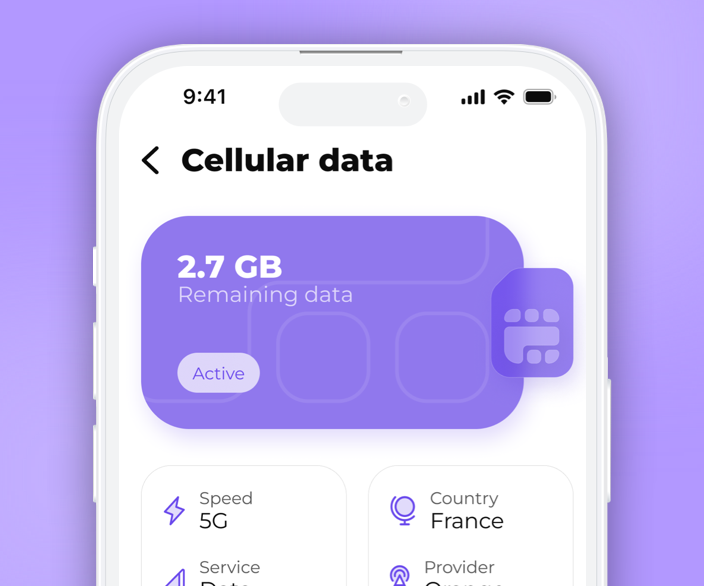
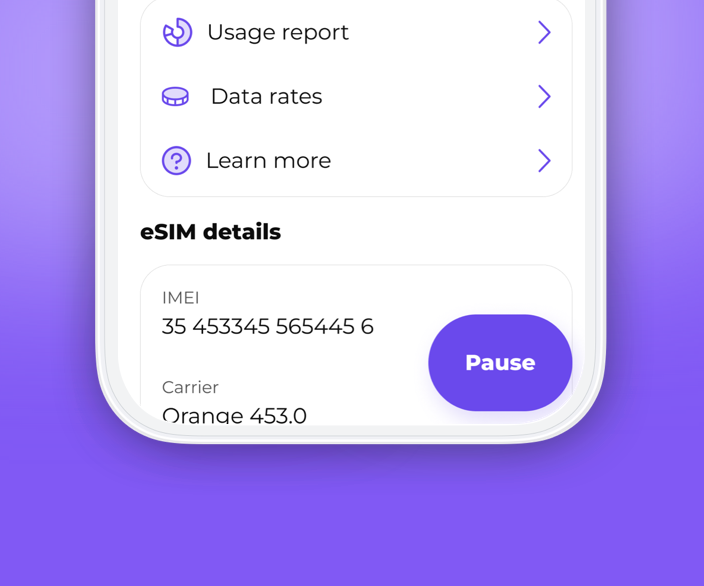
• Everything in the app: Live usage meter, top-ups, and plan management, with credits that never expire.
You land at Sydney Airport with fourteen hours of flying behind you, and before you reach passport control your phone is already negotiating a roaming rate you never agreed to. Head that off before departure: install SLYNUMBER's Australia eSIM at home, and the moment you switch it on at the gate you're on Telstra, Optus, or Vodafone AU at a flat pay-as-you-go per-GB rate. No roaming charges, no airport kiosk, no jet-lagged decisions — just data that works from the arrivals hall to the Bruce Highway.
Networks and real-world coverage in Australia
Your host networks: the eSIM connects through Telstra, Optus, and Vodafone AU (TPG Telecom). Selection is automatic and signal-based — the phone takes the strongest option available and re-evaluates as you move, so there's nothing to configure.
What speeds to expect: Opensignal's Australia Mobile Network Experience reporting has users in Sydney, Melbourne, Brisbane, Perth, and Adelaide spending over 31% of connected time on 5G, with average 5G downloads above 250 Mbps. Data from ACMA (Australian Communications and Media Authority) puts 4G/LTE past 99% of the population, with suburban speeds typically 45–95 Mbps. Remember that coverage maps track people, not land area — plan remote legs accordingly.
Leaving the country: the Australia rate applies while you're on an Australian network. Fly to New Zealand, Indonesia, or Papua New Guinea and the eSIM switches to a supported local network with billing at that country's own rate — check them all on the SLYNUMBER destinations page. Credits roll over automatically.
Device checklist: iPhone XS or newer, Google Pixel 3 or newer, Samsung Galaxy S20 or newer (must be carrier-unlocked), or most eSIM-capable tablets. Verify before buying: open Settings → Cellular → Add eSIM — if the option appears, you're compatible.
1. What you get with an Australia eSIM
Four things worth knowing before you buy any travel data for Australia — and how SLYNUMBER handles each one.
Buy gigabytes, not guesses
Fixed-size bundles force a prediction: how much will three weeks in Australia use? Get it wrong in either direction and you pay for the error. SLYNUMBER removes the prediction — data is metered at the Australia per-GB rate, you top up credits when you actually need them, and anything unused stays in your account with no expiry date. Check your running total in the app whenever you like. Big-usage days and quiet beach days settle up fairly on their own.
Skip the roaming ambush
International roaming from your home carrier is priced for emergencies, not for a month in Australia — and daily travel passes quietly stack into a second phone bill. The eSIM replaces all of it: your device operates on Australian networks at local-style pay-as-you-go pricing, and your home SIM never touches data. Keep the home line active for the odd incoming SMS if you want. Nothing about this trip should appear on your home bill.
Done before you check a bag
Handle connectivity the same way you handle boarding passes — before the airport. Buy the plan in the SLYNUMBER app, scan the QR code on your home Wi-Fi, and the eSIM installs in about two minutes, then waits. When you land in Sydney or Melbourne, one toggle in settings brings it live. The only fee beyond data is the one-time $5 activation charge at first install. No arrivals-hall kiosk, no local paperwork, no queue.
One eSIM for the whole itinerary
Australia is a long way to fly for just one country — plenty of travelers bolt on New Zealand or Bali. The same eSIM profile covers 120+ destinations, reconnecting to local host networks as you go, each billed at its own published rate. Install once and stop treating connectivity as a per-country chore. Your credits, your app, your number: all of it carries across every border on the itinerary.
2. Plan the route, then plan the data
Distances in Australia rewrite your assumptions. Here's how the eSIM behaves across four typical legs of a long-haul visit.
Sydney to Cairns, leg by leg
The classic run — Sydney, Newcastle, Byron Bay, the Gold Coast, Brisbane, then the Bruce Highway north to Cairns — stays connected far more than first-timers expect. Towns and tourist stops have solid 4G from all three networks, and the eSIM re-attaches automatically as you roll into range. Between towns, expect gaps measured in minutes, occasionally longer on inland detours. Standard practice: queue podcasts and offline maps at each overnight stop, then drive without thinking about it.
Opal taps, trams, and ferries
Urban Australia is the easy part. Sydney Trains, Melbourne's tram grid, Brisbane's CityCat ferries — all covered, with 5G widespread in the CBDs of Sydney, Melbourne, Brisbane, Perth, and Adelaide. Check platform times before you leave the café. Video-call from the Manly ferry deck with the Harbour Bridge behind you. Order a rideshare from a laneway bar at midnight. City data simply works here, often at speeds that beat hotel Wi-Fi.
Where the bars run out — honestly
Straight answer: mobile coverage in the outback follows towns and roadhouses, not the empty spaces between them. On the Stuart Highway or the road out to Uluru, expect service at settlements and long silent stretches in between — true on every network, though Telstra's footprint reaches furthest and the eSIM will use it where available. Download offline maps before leaving the last town. Tell someone your route. Carry water. The eSIM reconnects the moment civilization reappears.
Next boarding pass: Auckland or Denpasar
When the Australian leg ends, the eSIM doesn't. Land in New Zealand, Indonesia, or Papua New Guinea and it locates a supported local network within moments — billing shifts to that country's per-GB rate automatically, with every rate listed on the destinations page. Leftover credits come with you, because they never expire. One install at home covers the whole Pacific swing, however many boarding passes it involves.
3. Three steps, done before wheels-up
Do steps one and two at home, step three at the arrivals gate. Total hands-on time: about five minutes.
Get the app,
buy the Australia plan
Install SLYNUMBER from the App Store or Google Play, register, and purchase your Australia data plan. A one-time $5 eSIM activation fee is added at checkout — that's the only fixed cost.
Install by QR
on home Wi-Fi
Scan the QR code the app gives you, or enter the eSIM details manually. Do this before you fly, on reliable Wi-Fi — it takes two minutes and the profile stays dormant until needed.
Land, toggle,
you're online
At the gate, enable the eSIM in your settings. Your phone picks Telstra, Optus, or Vodafone AU by signal strength and connects on its own — check the status bar and go.
4. Running your apps on Australian networks
Data budgets, realistic numbers, and a few Australia-specific habits worth adopting — app by app.
Your number, unchanged, everywhere
The eSIM carries data only, so WhatsApp keeps running on your existing number — chats, groups, and history intact, no re-verification. Call home from Circular Quay while the ferries load, send the family group a sunrise from Bondi, voice-note your road-trip updates from a Bruce Highway rest stop. Voice calls use about 3–6 MB per minute; a 15-minute video call runs 80–150 MB, so save those for hotel Wi-Fi if you're rationing. One setting to change on arrival: disable auto-download for videos in WhatsApp's storage settings. Group chats love sending clips, and that single toggle can save you a gigabyte a week.
Feed the feed from the road
Australia is absurdly photogenic and your audience is asleep in the wrong hemisphere — post on your schedule, not Wi-Fi's. Stories from the Bondi Icebergs pool, a Reel of the Twelve Apostles at golden hour, a carousel from Whitehaven Beach. Count roughly 60–80 MB to upload a 60-second 1080p Reel and a few megabytes per Story frame; an hour of browsing the feed adds another 150–300 MB. On road-trip days, shoot everything, then batch your uploads when you hit town signal — drafts save locally, so nothing is lost between towns. City 4G and 5G push uploads through faster than most hotel connections.
Shoot remote, upload in town
Treat TikTok in Australia as a two-phase operation. Phase one: film — Hosier Lane's street art in Melbourne, the Skyrail gliding over Kuranda rainforest near Cairns, red-dirt horizons from the roadside at sunset. Filming costs no data at all. Phase two: upload where signal is solid — a 60-second clip runs 35–100 MB depending on resolution, trivial in any town, slow at a remote roadhouse. Budget warning: the For You feed streams 500–800 MB per hour, and long bus rides make it dangerously easy to sink a day's data allowance. Watch the live balance in the SLYNUMBER app and set yourself a line.
Navigate 3,000 km without panic
Google Maps handles Australian cities effortlessly — train times in Sydney, tram routes in Melbourne, walking directions through Brisbane's South Bank — at a cost of just 5–10 MB per hour of turn-by-turn. Long drives need one habit: download offline regions before you leave town. Grab the Great Ocean Road stretch before Torquay and the Red Centre before Alice Springs; offline coverage of the whole country runs to roughly 1 GB of storage, so most travelers save regions selectively. GPS positioning itself needs no signal, meaning the blue dot follows you through every dead zone. When coverage returns, live traffic and rerouting resume without you touching a thing.
Best eSIM for Australia
Prefer to watch the process before committing? Here's the full setup, filmed.
See the complete Australia setup in real time — plan purchase, QR install, and first connection to an Australian network — so there are no surprises at the airport.
6. SLYNUMBER against the alternatives
Before you settle for a burner app, a local prepaid SIM, or a plain VoIP line, compare what each actually delivers. The table below scores them against SLYNUMBER's pairing of a real U.S. mobile number with pay-as-you-go eSIM data — on verification success, SIM-swap exposure, expiry rules, and what happens when you cross a border.
| Feature |
SLYNUMBER |
Google Voice |
Burner Apps |
Carrier 2nd line |
| Real U.S. mobile number | Yes | No | Varies | No |
|---|
| SMS verification for apps | Yes | Limited | Often blocked | Yes |
|---|
| Immune to SIM swapping | Yes | Yes | Yes | No |
|---|
| Custom voicemail | Yes | Yes | Rarely | Yes |
|---|
| International calling | Yes | Limited | Rarely | Carrier dependent |
|---|
| eSIM / Data plans | Yes | No | No | Carrier dependent |
|---|
| Number permanence | Permanent | Permanent | Temporary | Permanent |
|---|
| Requires carrier number | No | Yes | Varies | Yes |
|---|
| Starting price | $14.99 / 3 months | Free | $2–$5/week | $10–$15 add-on |
|---|
7. The full feature and pricing rundown
Core features
One plan, one feature set — here's the checklist.
- Genuine U.S. mobile number that clears platform verification (no VoIP flag)
- Use the number from 150+ countries; connect eSIM data in 120+
- Metered data at each country's published per-GB rate — no bundles
- Credits with no expiry date, carried across trips and borders
- Automatic network selection across Telstra, Optus, and Vodafone AU in Australia
- SlyAI assistant inside the app for instant setup help
- Live usage meter, top-ups, and plan management from your phone
WhatsApp, Telegram, PayPal, Venmo, Instagram, Snapchat, Amazon, and Gmail all accept SLYNUMBER numbers for registration and SMS verification — because to them it's simply a U.S. mobile line.
Security
All traffic runs over TLS, with SRTP securing calls. There's no physical SIM to steal or port, so the classic SIM-swap attack has nothing to grab — access to your number requires your app login, full stop.
Pricing
Straightforward numbers: a base plan for the number, credits for usage, data metered separately, and a one-time $5 activation fee when the eSIM first installs.
- Number plan: $4.99/month on the quarterly cycle (billed $14.99 every 3 months)
- Annual option: $49.99/year
- Credits: $10 per 1,000 — each credit is one call minute, one SMS, or one MMS
Platform and devices
Download SLYNUMBER on the App Store or Google Play — SlyAI assistant included. eSIM support: iPhone XS and newer, Google Pixel 3 and newer, Samsung Galaxy S20 and newer (carrier-unlocked), plus most eSIM-capable tablets.
8. Australia eSIM FAQ
In the towns and along most of the highway, yes. The Pacific Motorway and Bruce Highway thread through corridors served by Telstra, Optus, and Vodafone AU, and your eSIM attaches to whichever is strongest — Telstra generally reaches furthest outside urban areas. Plan for dead zones on inland stretches and between smaller towns; that's Australian geography, not a fault. Practical rule: download maps, playlists, and podcasts at each overnight stop, and treat anything you pick up between towns as a bonus.
No. Keep the one you have. When you land in New Zealand, Indonesia, or Papua New Guinea, the eSIM finds a supported local network on its own and billing moves to that country's per-GB rate — every rate is listed on the SLYNUMBER destinations page. There's nothing to reinstall and no settings to change. Credits never expire, so the balance you built up in Australia keeps working across the Tasman or up in Ubud.
Budget 8 GB for two weeks and you'll have headroom. Navigation, messaging, and browsing alone run 2–3 GB. Add daily photo uploads, streaming on long drives, and video calls home and you're at 5–7 GB. Hotspotting a laptop or nightly HD streaming can push past 12 GB. Since SLYNUMBER charges the Australia per-GB rate as you go, there's no bundle to overshoot — buy credits when you need them and watch your running total in the app.
It's a genuine U.S. mobile number managed entirely from the SLYNUMBER app — no plastic SIM attached. Platforms can't tell it from a standard mobile line because it isn't VoIP-flagged, so WhatsApp, Telegram, PayPal, Venmo, Instagram, Snapchat, Amazon, and Gmail all take it for registration and verification codes. It works from 150+ countries over any data connection. Set it up once and it follows you around the planet.
Because free burner numbers are recycled VoIP lines, and platforms block them constantly — the verification code that never arrives is the classic symptom. SLYNUMBER numbers are real U.S. mobile lines that clear those checks, and the product is built for keeps: your number, message history, and credits stay put month after month. Use a burner to dodge a one-time signup. Use SLYNUMBER when the number actually matters.
Three prices to know. The number plan: $4.99 a month on the quarterly cycle (billed $14.99 every three months), or $49.99 for the year. Usage: $10 buys 1,000 credits, and one credit equals a one-minute call, one SMS, or one MMS — unused credits never expire. Data: purchased separately at each country's per-GB rate, with a one-time $5 activation fee the first time you install the eSIM. That's the whole bill.
By removing the thing attackers target. SIM-swap fraud depends on convincing a carrier's support desk to move your number onto a criminal's SIM card. A SLYNUMBER number has no physical SIM and no phone-in support channel to manipulate — access rides on your authenticated app login, with TLS and SRTP encryption protecting traffic. To reach your verification codes, someone would need your device and your credentials, not a persuasive phone voice.
Yes, reliably. Verification texts from banks, PayPal, Amazon, Gmail, and similar services are delivered to your real U.S. number inside the SLYNUMBER app, over whatever data connection you have — your Australia eSIM or hotel Wi-Fi, either works. Time zones don't matter and neither does distance; a code sent from a U.S. server lands on your screen in Cairns in seconds. Keep 2FA switched on everywhere and travel anyway.
That's the intended workflow. The U.S. number operates from 150+ countries, and the eSIM connects in 120+, so flying home — or onward — changes nothing but the host network. Whatever data and credits remain in your balance stay valid indefinitely; they'll be waiting for the next trip. One install covers this holiday and every one after it.