Key Takeaways:
• What it is: A second phone number on iPhone is an additional U.S. mobile number that runs through an app on your existing iOS device — alongside your carrier line and your iCloud identity, without occupying an eSIM slot.
• Who should use one: Side-business owners, daters, marketplace sellers, frequent travelers, and anyone who wants a separate inbox without buying a second iPhone or activating an eSIM with their carrier.
• Primary benefits: Real SMS verification, custom voicemail per number, immune to SIM-swap attacks, no carrier appointment, no eSIM activation, full encryption.
• Quick next step: Install SLYNUMBER from the App Store or visit slynumber.com/app/register to add a second iPhone number in under 5 minutes.
1. What is a second phone number on iPhone?
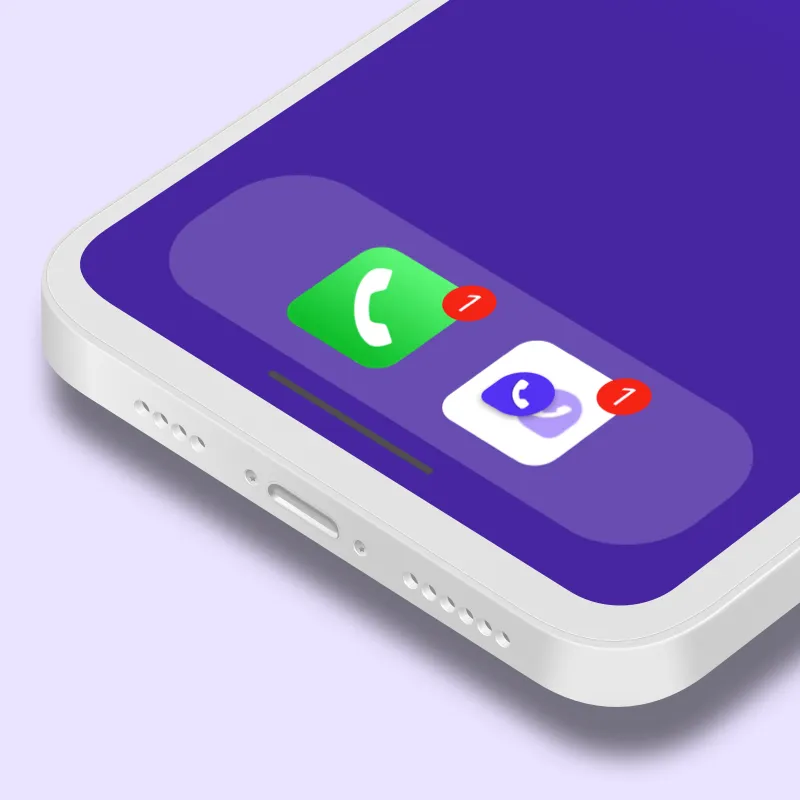
A second phone number on iPhone is an additional real U.S. mobile number that lives on the same iPhone as your carrier line, with its own caller ID, SMS inbox, and voicemail. On iPhone, three paths produce that result. The first is Dual SIM — since the iPhone XS, every iPhone sold in the U.S. supports a physical SIM plus an eSIM, and U.S. iPhones from iPhone 14 onward are eSIM-only with support for multiple eSIM profiles. The second is a carrier "second line" add-on through Verizon, AT&T, or T-Mobile, which provisions a second eSIM on your existing plan for $10–$15/month. The third is an app-based virtual number like SLYNUMBER from the App Store.
The app-based path is the cleanest for most iPhone owners in 2026, because it sidesteps the eSIM activation flow and the carrier paperwork entirely. SLYNUMBER provisions every number through the regulated North American Numbering Plan (NANP) and connects it to a software switch in a data center, not to an eSIM profile on your iPhone. The result is a real U.S. mobile number — same line-type tag as a Verizon or T-Mobile line — that runs in the SLYNUMBER app over Wi-Fi or mobile data, while your carrier number keeps working untouched in your default Phone and Messages apps.
2. How a second iPhone number actually works
Step 1: The number is provisioned in the cloud
When you install SLYNUMBER from the App Store and sign up, the service assigns you a real U.S. mobile number from the regulated NANP. The number is connected to a software switch in a data center — not to an eSIM profile or physical SIM on your iPhone.
Step 2: Calls and texts travel as encrypted data
When you place a call from the SLYNUMBER app, your voice is captured by the iPhone microphone, compressed by a codec, encrypted with Transport Layer Security (TLS) and Secure Real-Time Transport Protocol (SRTP), and sent as data packets over Wi-Fi or mobile data to SLYNUMBER's network. SMS and MMS travel the same encrypted pipe.
Step 3: The provider hands off to the public phone network
SLYNUMBER hands the call to the public switched telephone network (PSTN) through a session border controller. The recipient hears a normal ring on their landline or cell; from their side, your second number looks like any other U.S. mobile number — because it is one.
Step 4: Both numbers ring on the same iPhone — separately
Your carrier line continues to ring in the default Phone app, iMessage, and FaceTime — tied to your existing Apple ID. Your SLYNUMBER rings in the SLYNUMBER app, with its own caller ID, voicemail greeting, and notification sound. The two worlds stay distinct on the same iPhone, and you can sign in to the SLYNUMBER app on a Mac, iPad, or second iPhone simultaneously.
3. Pitfalls of Dual SIM and carrier-eSIM second lines on iPhone
Apple's built-in Dual SIM and eSIM support is genuinely impressive — until you realize what it does not protect against. Three concrete downsides come with carrier-controlled second lines, and they rarely show up in the carrier brochure.
-
Carrier eSIM second lines remain SIM-swap targets
An iPhone eSIM "second line" issued by Verizon, AT&T, or T-Mobile is still a carrier-controlled number. A scammer who calls the carrier and convinces a representative they are you can transfer the line to an eSIM they control — and intercept every SMS verification code that follows, including bank, email, and crypto-account codes that rely on SMS-based two-factor authentication.
The FBI's Internet Crime Complaint Center (IC3) reported SIM-swap losses growing from roughly $12 million in 2018 to over $72 million in 2022 — a sixfold increase driven by attacks on bank, email, and crypto accounts secured with SMS 2FA on carrier-issued numbers.
Why a SLYNUMBER helps: A SLYNUMBER is not held by a mobile carrier, so the SIM-swap (and eSIM-swap) attack vector does not apply. There is no carrier rep to socially engineer, and the number cannot be ported by a phone call.
-
Free iPhone second-number apps get rejected by services
The App Store is full of free "second number" iPhone apps — TextNow, TextFree, 2ndLine, Hushed — but most issue VoIP-flagged numbers that banking apps, Stripe, PayPal, Venmo, Tinder, Bumble, and even WhatsApp reject for verification. You can sign up successfully for a few low-stakes services, then fail at the one that matters when the real SMS code never arrives.
The FCC's numbering-resources framework tags every U.S. phone number by line type — wireless, wireline, or VoIP — in the Local Number Portability database, which is the signal apps and SMS aggregators use to decide whether to deliver a verification code in the first place.
Why a SLYNUMBER helps: SLYNUMBER provisions every number through the regulated NANP as a real U.S. mobile line, so SMS verification arrives the same way it would on a Verizon, T-Mobile, or AT&T eSIM.
-
Carrier eSIM second lines are hard to walk away from
Adding an eSIM second line through Verizon, AT&T, or T-Mobile typically requires a phone call, account credentials, or a Genius Bar / carrier appointment to cancel — and may push back-end charges through to your next bill. A SLYNUMBER can be paused or canceled from inside the iOS app, today, with no retention script and no surprise charge the following month.
The FTC's 2023 Consumer Sentinel Network data recorded phone-based fraud as the largest single reported scam category at $2.7 billion — a reminder that a forgotten, unmonitored carrier line is an attack surface, not a feature.
Why a SLYNUMBER helps: You can pause, cancel, or swap your SLYNUMBER from inside the iOS app — no carrier phone call, no retention queue, no follow-on bill the next month.
4. Everyday benefits of two phone numbers on one iPhone
One iPhone, Two Inboxes That Stay Separate
Your carrier line keeps using Messages, FaceTime, and iMessage — tied to your existing Apple ID and family iCloud. Your SLYNUMBER lives in the SLYNUMBER app, with its own custom voicemail greeting and notification sound. A Saturday text from a client never lights up your family thread, and a customer call after hours never interrupts a deep-work block.
Travel With a U.S. Number That Never Roams
Because SLYNUMBER routes over the internet, your U.S. number rings on hotel Wi-Fi in Tokyo just as easily as on home Wi-Fi in Austin — no carrier roaming charges. You can also activate a SLYNUMBER eSIM data plan to get local cellular data abroad in 150+ countries without buying a tourist SIM at the airport or paying $10/day in carrier roaming fees.
Run a Side Business Without Forking Your Identity
Selling on Etsy, freelancing on Upwork, running a consultancy, or moderating an online community — all from your iPhone. A SLYNUMBER second line gives you a professional presence with a chosen area code (212 for New York, 415 for San Francisco, 305 for Miami) without bolting another carrier contract onto your life or handing your personal number to customers who may post it publicly.
5. How to get a second phone number on iPhone in 5 steps:
- Install SLYNUMBER from the App Store. Search "SLYNUMBER" in the App Store and tap Get. The app runs on every iPhone from iPhone 8 onward on iOS 15 or later.
- Create your account. Sign up with an email address. No carrier information is requested, and your existing iPhone SIM or eSIM is never touched.
- Choose your second number and area code. Pick a real U.S. mobile number and select any available area code — 212 for New York, 415 for San Francisco, 312 for Chicago, 305 for Miami, 213 for Los Angeles, 404 for Atlanta.
- Select a plan. Plans start at $4.99 per month on the quarterly billing cycle ($14.99 billed every three months). Annual ($49.99/year) and credit add-on options are also available.
- Use both numbers on the same iPhone. Calls, SMS, MMS, and voicemail on your second number live inside the SLYNUMBER app; your carrier line keeps working in Phone, Messages, iMessage, and FaceTime. Switch between them with a single tap.
6. iPhone second-number options compared
Here is how the most common paths to a second phone number on iPhone compare across the features that matter most — and the friction points each one hides until the first time you actually need the line to work.
| Feature |
SLYNUMBER |
Google Voice |
Burner Apps |
Carrier 2nd line |
| Real U.S. mobile number | Yes | No | Varies | No |
|---|
| SMS verification for apps | Yes | Limited | Often blocked | Yes |
|---|
| Immune to SIM swapping | Yes | Yes | Yes | No |
|---|
| Custom voicemail | Yes | Yes | Rarely | Yes |
|---|
| International calling | Yes | Limited | Rarely | Carrier dependent |
|---|
| eSIM / Data plans | Yes | No | No | Carrier dependent |
|---|
| Number permanence | Permanent | Permanent | Temporary | Permanent |
|---|
| Requires carrier number | No | Yes | Varies | Yes |
|---|
| Starting price | $14.99 / 3 months | Free | $2–$5/week | $10–$15 add-on |
|---|
Quick recap: SLYNUMBER on iPhone provides real U.S. mobile numbers starting at $14.99 every three months, passes SMS verification for every major app (WhatsApp, banking, Tinder, Instagram), is immune to SIM-swap and eSIM-swap attacks, and includes eSIM data plans in 150+ countries. Google Voice is free but provides VoIP-flagged numbers with limited app verification and U.S.-only signup. Burner apps ($2–$5/week) issue temporary numbers that services often block. A carrier 2nd line ($10–$15 add-on) gives a real number but inherits SIM-swap risk and is tied to your active carrier account.
7. Features and pricing
Core features
SLYNUMBER provides real U.S. mobile numbers — not VoIP-flagged numbers that apps and services routinely block. Each iPhone second number supports:
• SMS and MMS messaging, including app verification codes
• Inbound and outbound voice calls
• Custom voicemail greetings per number
• Call routing, forwarding, and per-contact blocking
• International calling to 100+ countries
• Number tagging by purpose: business, personal, dating, or travel
• eSIM data plans for cellular connectivity in 150+ countries without a local SIM
SLYNUMBER numbers are accepted by every major app and service tested on iPhone, including WhatsApp, Telegram, PayPal, Venmo, Instagram, Snapchat, Amazon, Tinder, Bumble, and Gmail.
Security
Calls and messages are transmitted over encrypted connections using Transport Layer Security (TLS) — the same encryption standard that protects online banking — and Secure Real-Time Transport Protocol (SRTP), which encrypts voice data in transit. The number is not linked to your name, home address, or billing details, so reverse-lookup tools cannot identify you from it.
Pricing
SLYNUMBER offers three billing cycles, all of which include the same full feature set:
• Quarterly: $4.99/month, billed as $14.99 every three months
• Annual: $49.99/year — lowest per-month rate
• Add-on credits: $10 for 1,000 credits (1 credit = 1 minute call, 1 SMS, or 1 MMS)
Platform availability
The SLYNUMBER app is available on the App Store and Google Play Store. SLYNUMBER also includes SlyAI, a built-in AI assistant for instant help and conversational support inside the app.
8. Frequently asked questions
The fastest way is to install SLYNUMBER from the App Store, sign up with an email, and pick a real U.S. mobile number. Full setup takes under 5 minutes — no eSIM activation, no carrier appointment, and no SIM swap. The second number runs in the SLYNUMBER app alongside your existing carrier line on the same iPhone.
No. SLYNUMBER does not require an eSIM, a Dual SIM tray, or a second carrier plan. It runs as an app on every iPhone from iPhone 8 onward and works on iOS 15 and above. The second number is delivered over Wi-Fi or mobile data — it does not consume your eSIM slot.
Yes. SLYNUMBER provisions real U.S. mobile numbers from the regulated North American Numbering Plan, so SMS verification codes from WhatsApp, Telegram, Tinder, Bumble, Instagram, PayPal, Venmo, and major banks arrive in the SLYNUMBER inbox the same way they would on a carrier line.
Yes. Your carrier number keeps working in the default Phone and Messages apps; your SLYNUMBER rings in the SLYNUMBER app, with its own caller ID, voicemail, and notification settings. Switching between the two numbers takes a single tap and the carrier line is never modified.
SLYNUMBER calls and SMS run inside the SLYNUMBER app to keep the second line cleanly separated from your iCloud identity. Your existing Apple ID, iMessage, and FaceTime keep using your carrier number — so the two worlds stay distinct on the same iPhone.
SLYNUMBER plans start at $4.99 per month on the quarterly billing cycle ($14.99 billed every three months). An annual plan is available at $49.99/year. Every plan includes calling, SMS, MMS, voicemail, call forwarding, and international dialing — typically less than a carrier eSIM second-line add-on.