Key Takeaways:
• What it is: A virtual phone number for Telegram is a real U.S. mobile number — issued by SLYNUMBER — that registers a Telegram account like a carrier SIM, but lives in an app rather than on a physical chip.
• Who should use one: Channel admins, crypto-group participants, journalists, traders, anyone running a Telegram brand, and anyone who simply does not want their personal number on a Telegram profile.
• Primary benefits: Real SMS verification, multi-device sync across phone/tablet/desktop, a Telegram username that hides your number, and a clean separation from your carrier line.
• Quick next step: Download the SLYNUMBER app on iOS or Android, or visit slynumber.com/app/register to get started.
1. What is a virtual phone number for Telegram?
A virtual phone number for Telegram is a real, mobile-grade U.S. phone number that you use to register a Telegram account instead of the SIM in your phone. The underlying transport is Voice over Internet Protocol (VoIP) — phone service delivered over Wi-Fi or mobile data — but the number itself is a fully provisioned mobile line registered in the North American Numbering Plan (NANP). That is the part Telegram's verification system cares about.
Telegram is itself an internet-based messaging app, but its identity model still depends on a real telephone number. When you register, Telegram sends a verification code to that number — either by SMS or, for repeat users, by an in-app message to another logged-in device. With a SLYNUMBER number, the code arrives in the SLYNUMBER inbox within seconds. From there, every Telegram feature — channels, supergroups, secret chats, voice and video calls, multi-device sync, the @username — works exactly as if you had registered with a carrier SIM.
2. How Telegram activation works on a virtual number
Step 1: A real U.S. mobile number is provisioned.
When you sign up with SLYNUMBER, you receive a real U.S. mobile number from a Tier-1 carrier pool — tagged as a mobile line in carrier databases, not as VoIP. Telegram's anti-abuse systems treat mobile-tagged numbers very differently from VoIP-flagged ones, which is why this distinction matters.
Step 2: You enter the number in Telegram's registration screen.
Open Telegram, choose your country code (+1 for the United States), and enter your SLYNUMBER number. Telegram sends a five-digit verification code — usually by SMS the first time you register.
Step 3: The code arrives in the SLYNUMBER inbox.
The SMS lands in your SLYNUMBER messages tab. Copy the five-digit code and paste it into Telegram. Telegram generates a cryptographic key pair tied to your number and creates the account.
Step 4: Set a username to hide the number from strangers.
Telegram lets every account choose a public username (@yourname). Once set, anyone can message you by @username without seeing your phone number — your SLYNUMBER virtual number stays hidden from people you have not personally added. Combined with the "Who can see my phone number" privacy setting on "Nobody," your number is invisible to the entire platform.
Step 5: Sync across all your devices.
Telegram allows simultaneous login on phone, tablet, desktop, and web — all on the same account. Because the SLYNUMBER number is the root identity, every device routes through it without needing a SIM card present.
3. Risks of registering Telegram with your real number
Telegram is a powerful platform, but the way it ties identity to a phone number creates three concrete risks worth understanding before you hand over your carrier SIM.
-
SIM swapping: an attacker takes your Telegram with your SIM
Telegram, like WhatsApp and Signal, authenticates new logins by sending a code to your phone number. If a SIM-swap attacker convinces your carrier to port your number to their SIM, they can request a Telegram login code, intercept it, and take over your account — including access to chats, channels, and any payments or crypto wallets linked to your Telegram identity. Enabling Telegram's two-step verification password mitigates this, but most users do not turn it on.
The FBI's Internet Crime Complaint Center (IC3) reported SIM-swap losses growing from roughly $12 million in 2018 to over $72 million in 2022, with messaging-app takeover increasingly cited as the post-swap payoff alongside bank and crypto theft.
Why a SLYNUMBER helps: A SLYNUMBER number is not controlled by a mobile carrier, so a SIM swap on your carrier line does not give an attacker access to the line your Telegram account is tied to.
-
Number exposure in groups and channels
By default, if someone in a Telegram group has your phone number saved in their contacts, they can see your number on your profile — and if you join a public channel as a regular member, channel admins can sometimes correlate your number through invite-mechanism leaks. A single channel with thousands of members becomes a large potential audience for your real carrier number.
The U.S. National Institute of Standards and Technology lists phone numbers as personally identifiable information in NIST Special Publication 800-63B, warning that PII tied to messaging accounts is a frequent target for data brokers and identity-correlation attacks.
Why a SLYNUMBER helps: A virtual number used for Telegram limits the worst-case exposure: if your Telegram number ever leaks, you can deactivate or replace it without losing the carrier line your bank uses for 2FA.
-
Account correlation across platforms
Telegram, WhatsApp, Signal, Viber, and most modern messengers use phone numbers as the unique user identifier. A leaked Telegram number can be used to look you up on every other messaging app — confirming your identity, your accounts, and sometimes your location.
The FTC's 2023 Consumer Sentinel Network data shows impersonation scams — many initiated through messenger cold-outreach — were the top reported scam category in 2023, with $2.7 billion in consumer losses.
Why a SLYNUMBER helps: Using a dedicated SLYNUMBER number for Telegram breaks the cross-platform link. Your Telegram presence and your WhatsApp, Signal, or banking presence are no longer pinned to a single discoverable number.
4. Everyday benefits for channels, groups, and travel
Run a public channel without doxxing yourself
Channel admins — for crypto, news, trading, gaming, or community content — frequently need a Telegram identity that is not their personal number. A SLYNUMBER number lets you register the channel admin account on a dedicated line and keep your carrier SIM completely out of the metadata trail that surrounds public channels.
Maintain multiple Telegram identities
Telegram allows multiple accounts inside the same app — tap your profile photo to switch between them. Each account requires a distinct phone number. With SLYNUMBER you can spin up a second number for a side project, an alternate community, or a travel identity without buying another SIM or carrier line.
Travel without losing your Telegram account
Because the SLYNUMBER number lives in the cloud and works over any internet connection, your Telegram account stays reachable on the same number whether you are in New York, Lisbon, or Bangkok. There is no SIM to swap, no roaming charge, and no risk that an inactive carrier SIM causes Telegram to mark the account dormant.
5. How to activate Telegram on a SLYNUMBER number in 5 steps:
- Download SLYNUMBER. Install SLYNUMBER from the App Store (iOS) or Google Play (Android) and sign up with your email.
- Choose a U.S. mobile number. Select a real U.S. mobile number — any available area code. (212) New York and (415) San Francisco are popular for public channel admins.
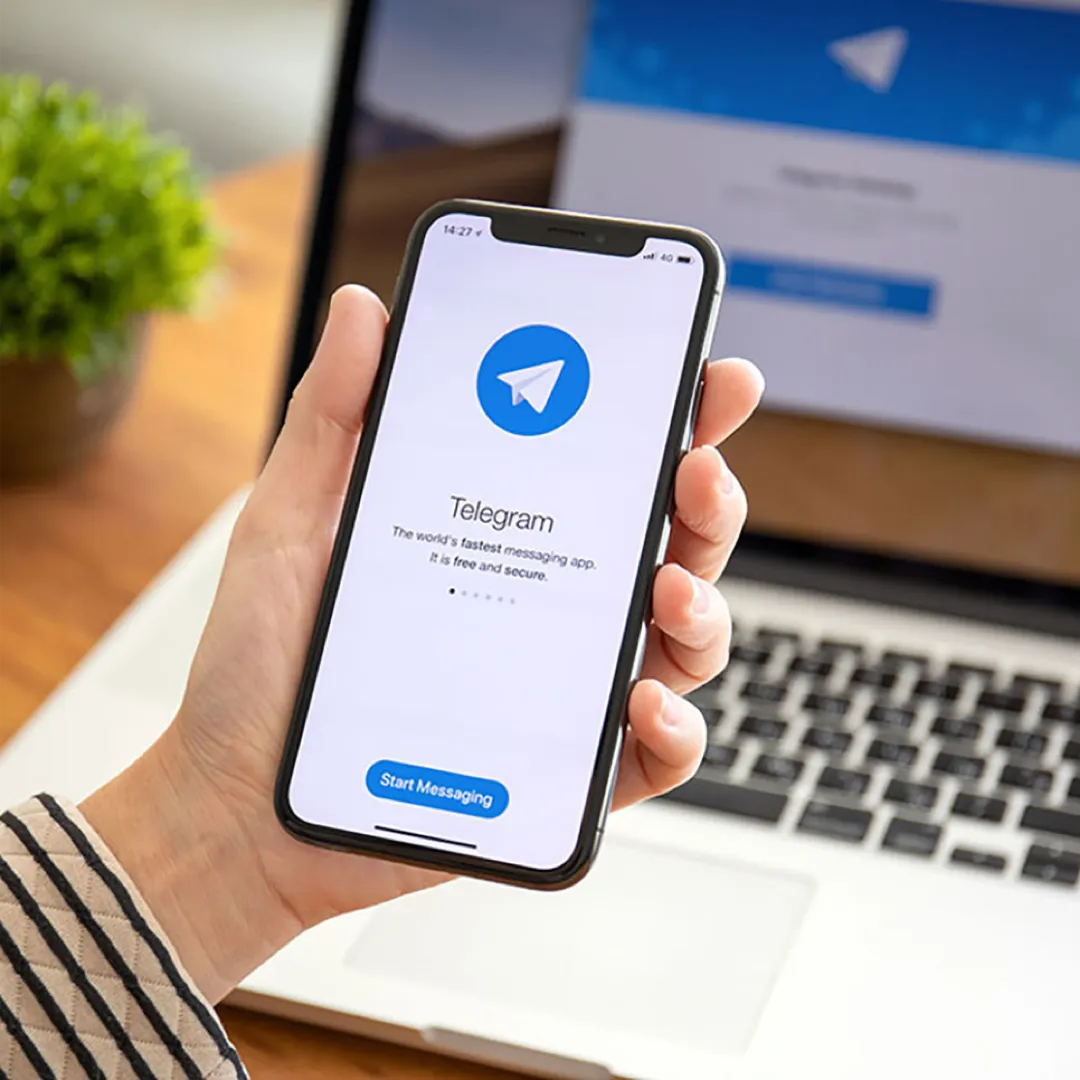
- Open Telegram and enter the number. Install Telegram if you have not already, tap "Start Messaging," set the country to United States (+1), and enter your full SLYNUMBER number.
- Get the verification code from SLYNUMBER. Telegram sends a five-digit SMS. The code appears in your SLYNUMBER inbox within a minute. Copy it into Telegram.
- Lock down privacy and set a username. In Telegram → Settings → Privacy and Security, set "Phone Number" visibility to "Nobody" and set a public @username. Now anyone can message you by username — your SLYNUMBER number stays hidden from strangers.
6. Virtual number vs. other Telegram options
Several services claim to give you a second number for Telegram. Here is how they compare across the features that actually matter for activation and long-term use:
| Feature |
SLYNUMBER |
Google Voice |
Burner Apps |
Carrier 2nd line |
| Real U.S. mobile number | Yes | No | Varies | No |
|---|
| SMS verification for apps | Yes | Limited | Often blocked | Yes |
|---|
| Immune to SIM swapping | Yes | Yes | Yes | No |
|---|
| Custom voicemail | Yes | Yes | Rarely | Yes |
|---|
| International calling | Yes | Limited | Rarely | Carrier dependent |
|---|
| eSIM / Data plans | Yes | No | No | Carrier dependent |
|---|
| Number permanence | Permanent | Permanent | Temporary | Permanent |
|---|
| Requires carrier number | No | Yes | Varies | Yes |
|---|
| Starting price | $14.99 / 3 months | Free | $2–$5/week | $10–$15 add-on |
|---|
Quick recap: SLYNUMBER offers real U.S. mobile numbers starting at $14.99 every three months, activates Telegram (and other messengers like WhatsApp, Signal, Viber) on the first SMS attempt, and includes eSIM data plans in 150+ countries — convenient for traveling channel admins. Google Voice is free but its VoIP-flagged status causes Telegram to flag accounts. Burner Apps ($2–$5/week) frequently fail Telegram verification or get banned after a few days. A carrier 2nd line ($10–$15 add-on) works but inherits SIM-swap risk and requires an existing carrier account.
7. Features and pricing
Core Features
SLYNUMBER provides real U.S. mobile numbers — not VoIP-flagged numbers that get blocked by apps and services. Each number supports:
• SMS and MMS messaging, including verification codes
• Inbound and outbound voice calls
• Custom voicemail greetings
• Call routing, forwarding, and blocking
• International calling to 100+ countries
• Number tagging by purpose: business, personal, messaging, or travel
• eSIM data plans for cellular connectivity without a local SIM.
SLYNUMBER numbers are accepted by all major apps and services, including Telegram, WhatsApp, Signal, Viber, PayPal, Venmo, Instagram, Snapchat, Amazon, and Gmail.
Security
Calls and messages are transmitted over encrypted connections using Transport Layer Security (TLS) — the same encryption standard that protects online banking — and Secure Real-Time Transport Protocol (SRTP), which encrypts voice data in transit.
Pricing
SLYNUMBER offers three billing cycles. Each plan includes the same full feature set:
• Quarterly: $4.99/month, billed as $14.99 every three months
• Annual: $49.99/year — lowest per-month rate
• Add-on credits: $10 for 1,000 credits (1 credit = 1 minute call, 1 SMS, or 1 MMS).
Platform Availability
The SLYNUMBER app is available on the App Store and Google Play Store. SLYNUMBER also includes SlyAI, a built-in AI assistant for instant help and conversation right inside the app.
8. Frequently asked questions
Yes — as long as the virtual number is a real, mobile-tagged U.S. number. SLYNUMBER issues numbers from a Tier-1 carrier pool, so Telegram's anti-abuse system accepts them on the first SMS attempt. VoIP-flagged numbers from free apps are commonly rejected or get accounts suspended within days.
Only if you choose. Set a Telegram username (@yourname) and change "Who can see my phone number" to "Nobody" in Privacy and Security. After that, your virtual number is invisible to everyone on the platform, and you are reachable only by username.
Yes. Telegram supports multiple accounts in the same app — tap your profile to switch. Each account needs a distinct phone number, which is exactly what a virtual number is for: register a second or third Telegram identity without buying another SIM.
Yes. Telegram supports simultaneous login on phone, tablet, desktop (Windows/Mac/Linux), and web. Because your virtual SLYNUMBER number is the root identity, every device syncs through it. You do not need a SIM card on any of the devices.
No. A SLYNUMBER number is not controlled by a mobile carrier, so the SIM-swap attack — calling a carrier rep and porting the line — does not apply. For extra safety, enable Telegram's two-step verification password in Settings → Privacy and Security.
Yes. Telegram is tied to the SLYNUMBER virtual number, which works over any Wi-Fi or mobile-data connection in 150+ countries. Your carrier SIM is irrelevant — you can cancel it, switch carriers, or roam internationally and Telegram continues without interruption.